Showing posts with label graphics tablet. Show all posts

Monday, 2 February 2015

FSTS: Character sketches - Pot wash boy and bully chefs.

These are the ideas I have for the bully chefs in my story. I want a main 'ringleader' and am thinking of something like number 2. He will be the opposite of the main character in my story, so will need to be tall, skinny, arrogant - a stereotypical French pastry chef. The other guys will be his cronies. Am looking at maybe number 6 being the butcher etc. It doesn't really matter what job they do but I want a bit of a mixture.


The guy is roughly how I envisage the main character in the story, the poor potwash boy who is bullied by the others. I'm working on before and after sketches on him at the moment to show how he looks when he begins the story compared to how he ends up at the end.


As always, feedback much appreciated. I know the work needs cleaning up and I'll do this once I've got a definite 4 or 5 characters.

Wednesday, 19 November 2014

Final Compositions

 So these were the compositions I narrowed down to and I'm working up the bottom one as my final piece. Very late in the day I know, but I'm still not completely decided on key assets and colour schemes. I am happy with all of these, so I have tried to amalgamate them as much as possible while still trying to keep a sense of space.
 
I like the colour in the first image and the sense of space, so these are the two I'd narrowed down to work on further.
 
I felt this one was becoming a bit too overcrowded and closed in, but I liked the colour, so will use this in my final comp.

So I've used the first image above (which is from my original thumbnail no. 123) and incorporated all the elements I liked from other thumbnails. I feel like I've got a good space here and want to try and keep everything quite open. I see this as just getting to the busier, more built-up part of the city, so we start to see key buildings and links to other parts, such as the entrance to the underground transport system and walkways to commercial areas, and we begin to feel the hum of the heart of the city.

Saturday, 15 November 2014

More thumbnails (122-125)


A few more thumbnails from today. Trying to add in a bit of colour - need to be braver!!

Thumbnails 114-121


So I've taken some of my weird, warped, skewed and pleated shapes and put them together in compositions. I'm churning more out but feel like I'm still wrestling with Photoshop a tad - getting better every day though. Quite like 116 and 120 but can see other combinations within them all.

Monday, 10 November 2014

Thumnails 98-113


Just a few more thumbnails from Jordan's lesson today. I feel like now I want to take all the crazy shapes I'm creating and try and get them together to feel like a city. I've been struggling a little bit with this so I spoke to Jordan who gave me loads of tips on how to use the thumbnails I have. I can see lots of things in the thumbnails, like a canopy over a walkway in no 111, a wall with a 'peel-off' window in number 101 and bridge maybe in 113. The picture below is Jordan's work, but it shows what I need to be doing. Putting down a ground plane, adding a bit of texture, but at the same time keeping the clean edges and building up layers. Basically, warp, skew and lasso!!
 
 
Jordan's example - NOT MY WORK UNFORTUNATELY!!
 

Friday, 7 November 2014

Thumbnails 82-97


So following on from Phil's feedback on my OGR, I've been trying the warp tool out in Photoshop to create some more interesting but clean shapes from simple solid circles and squares. I really enjoyed this exercise and will do more over the weekend. Issey Miyake deliberately cut oversized simple shapes for his garments and then formed them into clothes afterwards. I've also tried mimicking his 'Pleats Please' range using the lasso tool in Photoshop to create a pleated effect and then warping and skewing cut out shapes using the marquee tool. I love the effects this method creates and I'm sure this will crop up in my city a lot. I'm sticking with greyscale for the time being as I want to concentrate on form before I start adding colour. I want to try adding blur next to create depth and will also try building up more layers to form some samples of the city as a whole.

Tuesday, 4 November 2014

A few more city thumbnails 24-59


So here are thumbnails 24-59. Just trying to get a feel for the shapes and textures Miyake would have used. I'm also starting to think of structures, like bridges, supports and canopies. Got a few ideas for possible main structures, though I need to do many more thumbnails. Might include a bit of colour in my next set of thumbnails though I quite like starting off in greys now. Starting to get key words down for the travelogue too. Getting there slowly...

Tuesday, 7 October 2014

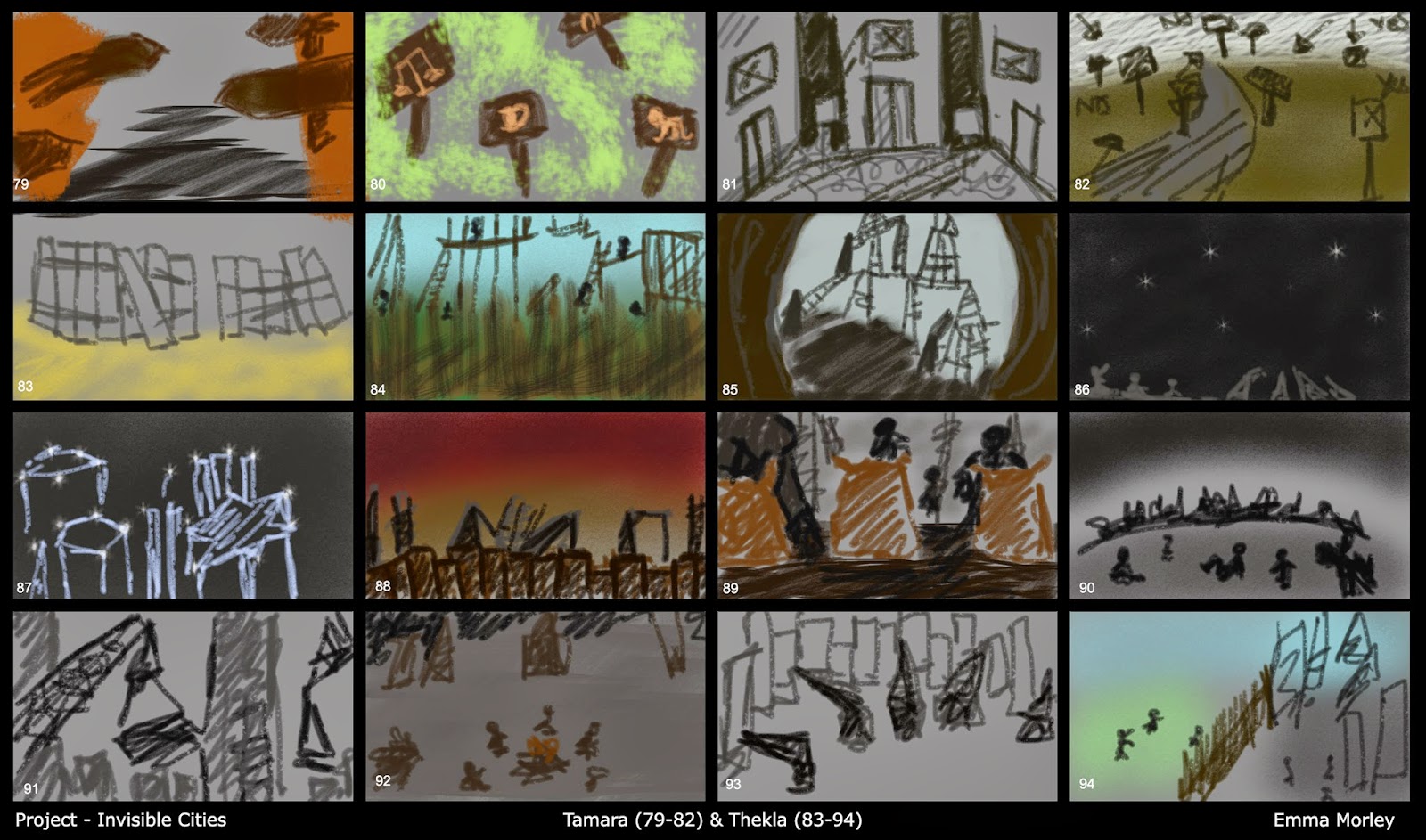
Thumbnails, thumbnails - Tamara, Thekla & Zenobia

 
Struggled a bit with Tamara, hence the limited amount of thumbnails. A bit more inspired with Thekla - this city seemed a little magical, although I felt like I was repeating myself a bit towards the end. Not sure I will be choosing either of these as my city, but always good to explore!


Quite liked the sound of Zenobia and it reminded me a little of the Ewok village from Return of the Jedi. I'd quite like to live up in the air with wooden walkways and little bamboo huts!

I'm worried my thumbnails are all looking a bit 'samey' but I'm trying to get used to digital painting and using Photoshop. I was a complete novice before starting this course and started off getting a bit frustrated as I knew what I wanted to do, but not always how to do it! Am getting there though - I have some favourite brushes and I'm getting used to some of the tools. Hoping to use some hand-drawn sketches a bit more and perhaps incorporate them into Photoshop as Jordan was showing us last week.

Monday, 6 October 2014

Invisible Cities - More thumbnails. Phyllis & Sophronia

 
Phyllis - "... bridges over canals, a variety of windows, many kinds of pavement: cobbles, slabs, gravel, blue and white tiles"
 

"Sophronia is made up of two half-cities. In one there is the great roller coaster, the carousel, the Ferris wheel, the big top. The other half-city is of stone and marble and cement." I quite enjoyed working on this city. The 'fair' half made me think of childlike images with lots of colours, whereas the other half-city seemed dull, bland and lifeless. I wanted to portray this in the thumbnails.


Plodding on with the rest...

Thursday, 2 October 2014

Invisible Cities - Anastasia thumbnails

"...Anastasia, a city with concentric canals watering it and kites flying over it. I should now list the wares that can profitably be bought here:agate, onyx, chrysoprase, and other varieties of chalcedony; I should praise the flesh of the golden pheasant cooked here over fires of seasoned cherry wood and sprinkled with much sweet marjoram..."


This thumbnail page is more of a mood board/influence map than my own sketches (hence the minimal thumbnail numbering) but I just wanted to get down all those lovely colours from the precious stones mentioned in Calvino's descriptions. They've really inspired me to look into this city further. The 'concentric canals' in the text are reflected by the layers of stone and the rings of the cherry wood. The idea also that Anastasia is a city that you could get wrapped up in and 'sucked into' made me think of a vortex, again going along with the circles and ripple effect that keeps cropping up. I like this city...

Sunday, 28 September 2014

Invisible Cities thumbnails 41-50 - Armilla


"Whether Armilla is like this because it is unfinished or because it has been demolished, whether the cause is some enchantment or only a whim, I do not know. The fact remains that it has no walls, no ceilings, no floors: it has nothing that makes it seem a city, except the water pipes that rise vertically where the houses should be..."

Invisible Cities first thumbnails


My first batch of thumbnails - Octavia, Esmerelda and Baucis. I'm still getting to grips with Photoshop as I am a complete novice but I'm enjoying experimenting. Also loving using the graphic tablet. Working on more thumbnails now so will upload those as soon they're ready!

Friday, 26 September 2014

First ever brush test in Photoshop!


These were my first attempts at digital painting using Photoshop and a graphics tablet. Really enjoyed it and can't wait to do some more!